Billing
Payment Process
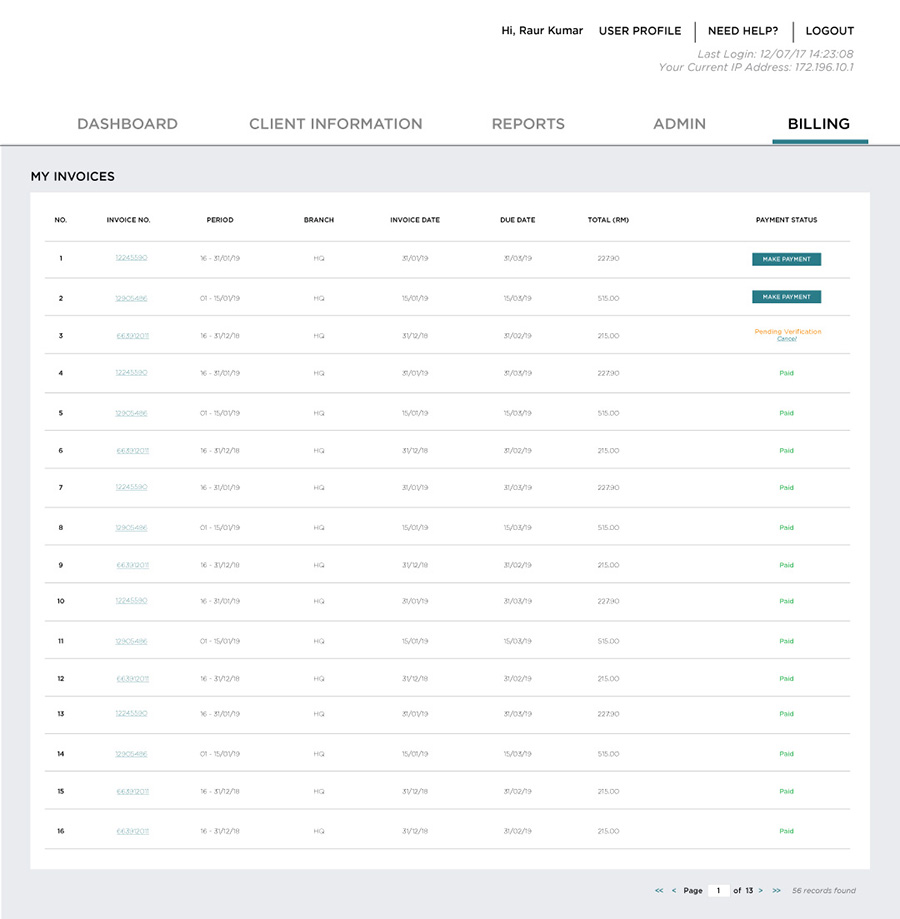
View the Listing of Invoices
All invoices can be viewed and downloaded by the Audit Firm users with the
role “Finance”, that will have access to view the ‘Billing’ module.
Billing – My Invoices
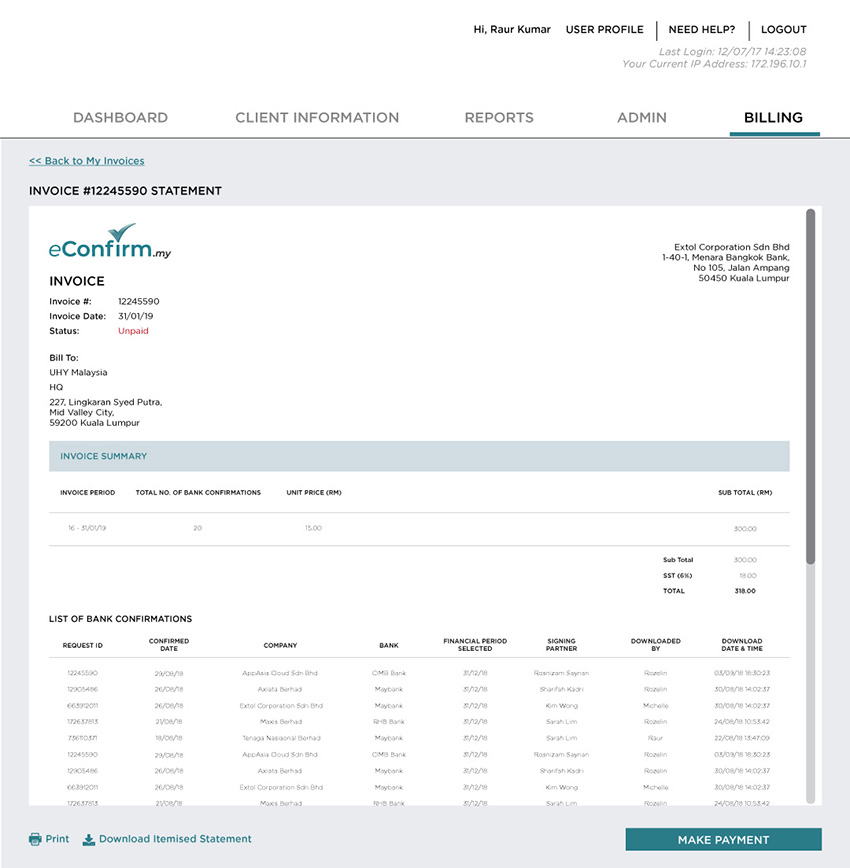
Billing – Detailed Invoice View
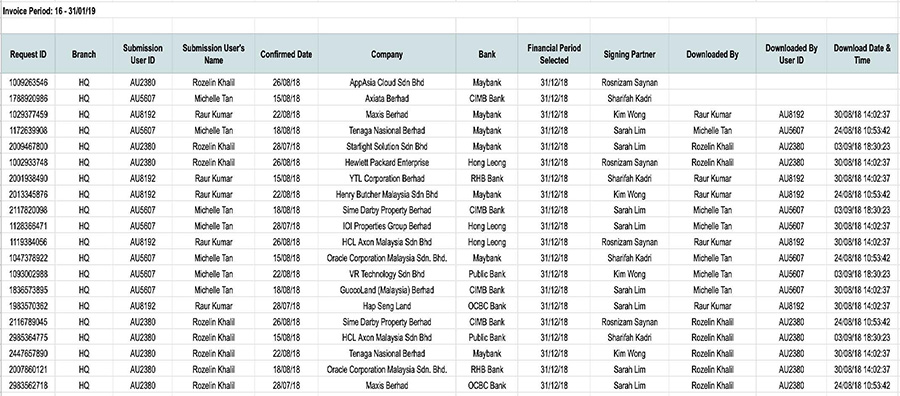
Billing – Download Invoice View (Excel)
Choose Payment Mode
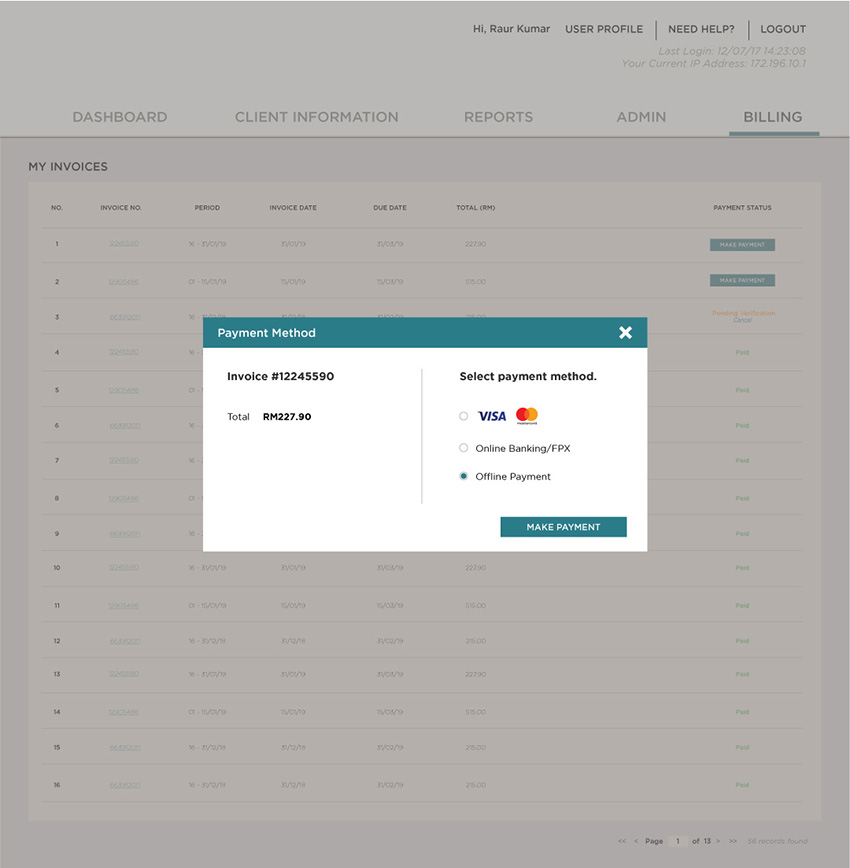
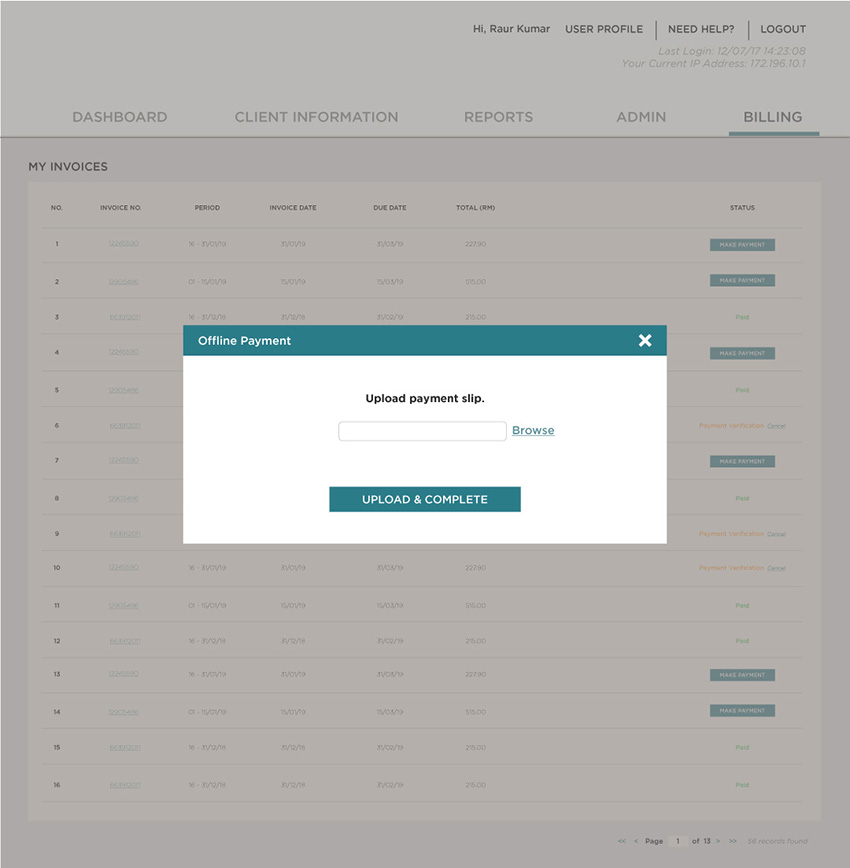
Users can select which invoices to pay, and proceed to Online Payment or Bank-In (Offline Payment). Clicking “Online Payment” will redirect users to a payment gateway portal, with options for method of payment (FPX or Credit Card). Clicking “Bank-In (Offline Payment)”, users shall upload the offline payment slip for verification.
Payment Method Selection
Upload Bank In Slip
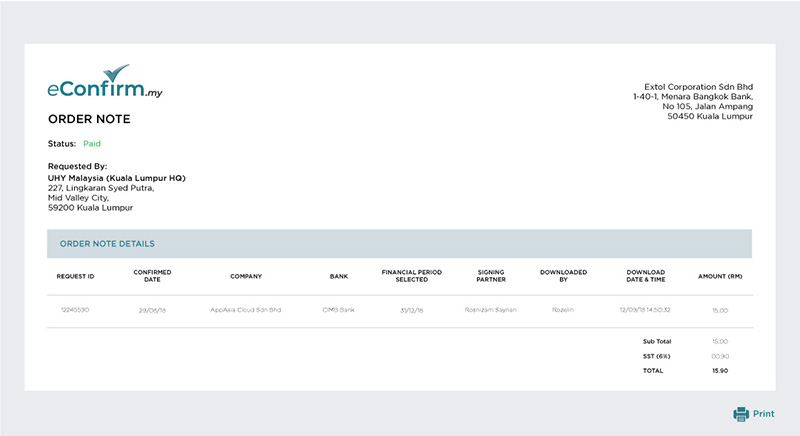
Order Notes (per Request)